Guide
DIY Photo Booth Assembly Guide
How to assemble an iPad photo booth
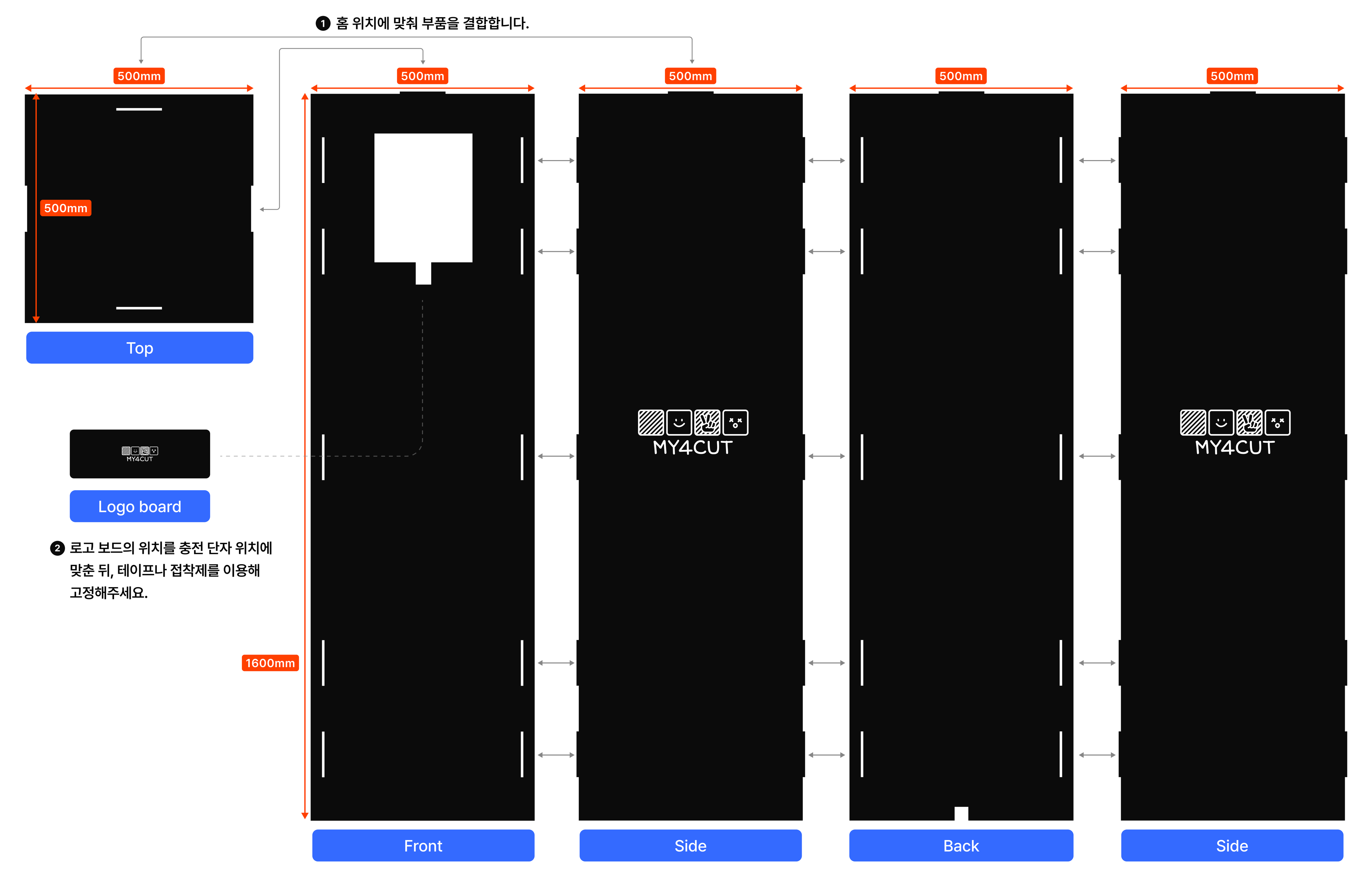
Parts & assembly
Check all components in the package and assemble them in order. Fit each part into its slot.
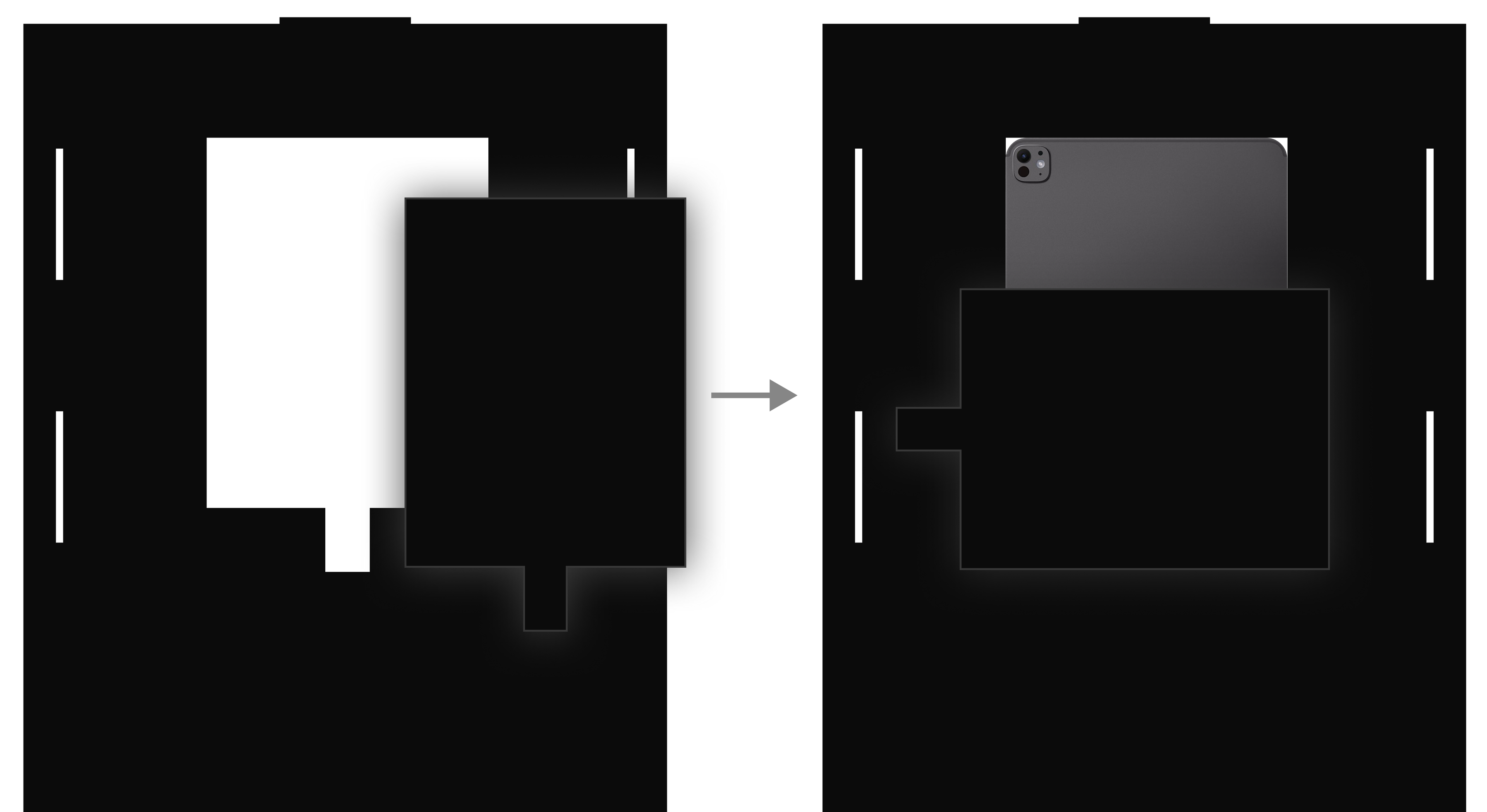
Mount the iPad
Keep the cutout pieces used for iPad mounting. Use them on the back of the iPad as support.
Double-sided tape can leave marks. Temporarily secure it with masking tape or insulation tape.
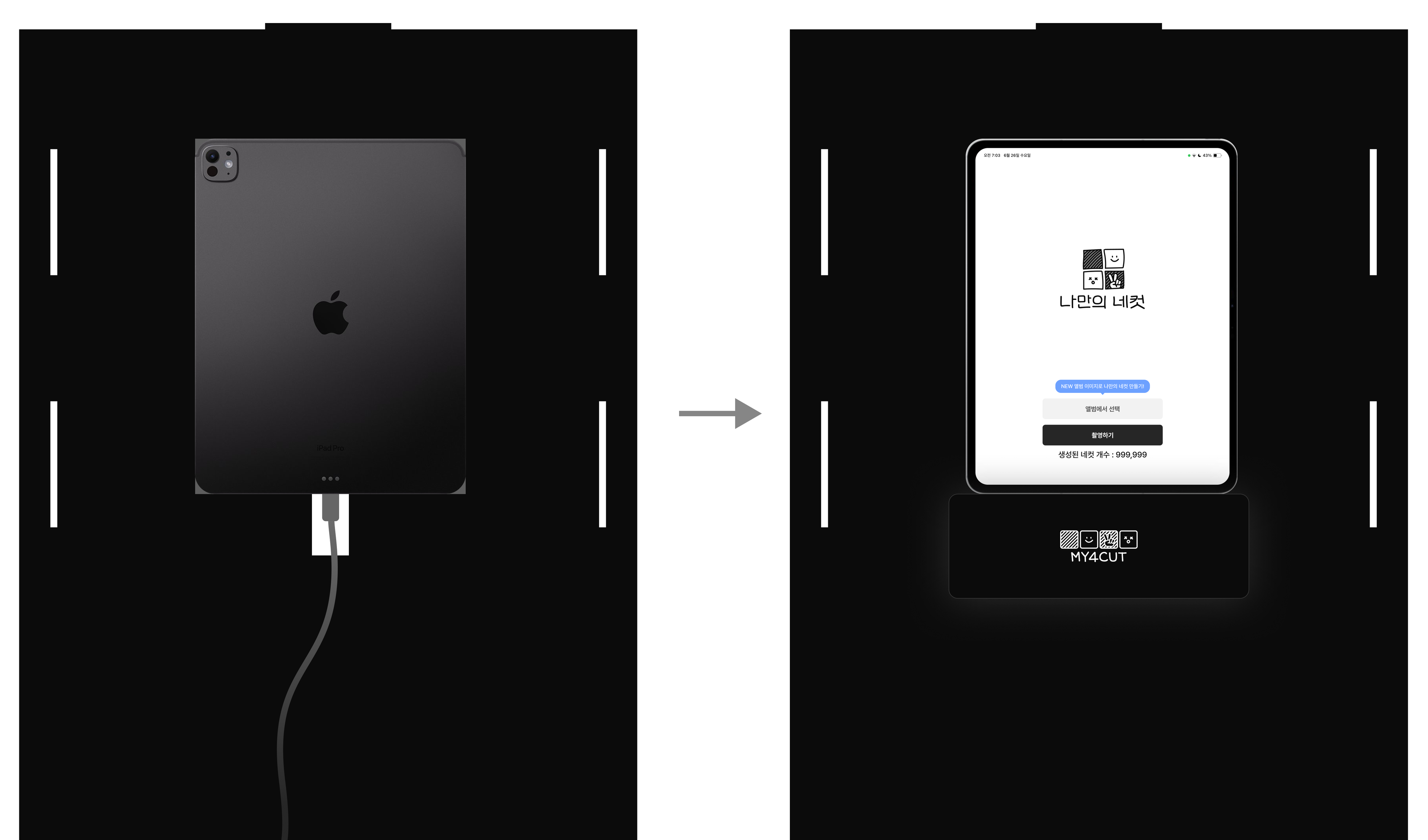
Connect charging port
Use the logo board to cover the charging port opening.
* There is an additional hole at the bottom of the back panel to route the charging cable.
FAQ
Q. The slots don’t align and parts won’t fit.
Due to a ±1–2mm cutting tolerance, some slots may not align perfectly. Use a ruler and trim the area slightly with a cutter for a clean fit.
Q. Is printing supported?
To print, you’ll need a separate photo printer. We recommend Canon SELPHY CP1500, which can print directly from the my4cut app.
Q. The booth area is too dark.
Place a portable light on top of the DIY booth. Ring lights or LED panels help you get brighter photos.